Migrated the archiveWe migrated over 400 news items dating back to 2018, more than 460 documents and over 80 pages. Text, images and files came from the old website; the design was rebuilt. Fresh news was added before launch to bring the archive up to date. Visitors can read earlier material on the new website.
1 / 10
Organised the institute contentWe prepared pages for 13 departments and 60 staff profiles. Laboratory pages contain research, accreditation, galleries and documents. The research task register for 2026–2030 is available in both languages. Visitors can see each department’s work and related resources.
2 / 10
Preserved scientific linksWe preserved old file addresses referenced by the institute’s scientific publications. They redirect readers to each document’s new location. A reader following a publication link can open the required file. There is no need to search for the document again after the migration.
3 / 10
Gave editors controlThe panel lets editors change text, menus, the header and footer. It also includes the fields search engines read: page title and description. Labels, hints and a built-in guide explain what to enter. Editors of the two products have separate permissions and can switch panels after one sign-in.
4 / 10
Editing on the pageEditors enable editing mode and change text where it appears on the page. This makes it clear which block they are updating. Autosave preserves edits, while revision history keeps earlier text versions. Editors can review how the material changed.
5 / 10
Translation from the panelA manager writes a news item in Ukrainian, presses Translate and receives populated English fields. Formatting is preserved and links stay unchanged; the editor checks the text before publication. The button is available on 24 screens across both panels, with a warning for empty translations. English text for migrated material was filled in bulk after previewing the list.
6 / 10
Automatic news monitoringThe system reads over 10 specialist sources daily and selects material across 12 topics, giving priority to scientific sources. Updates are published in a separate category once or twice a week, with up to 3 news items and 5 announcements. An editor can review or remove material. Visitors can find industry updates alongside institute news.
7 / 10
Enquiries by topicVisitors choose an enquiry topic in the form. The message reaches the person responsible, and the submission remains in the panel marked as new. Staff can see it in the list while working with other sections. The site also has pages for citizen enquiries and the trust box.
8 / 10
Publications and documentsScientific publications and public documents are grouped in their respective sections. Selecting a publication cover opens its file in the embedded viewer. Readers can examine the document on the website. Journal covers also appear in the large menu to help visitors recognise publications.
9 / 10
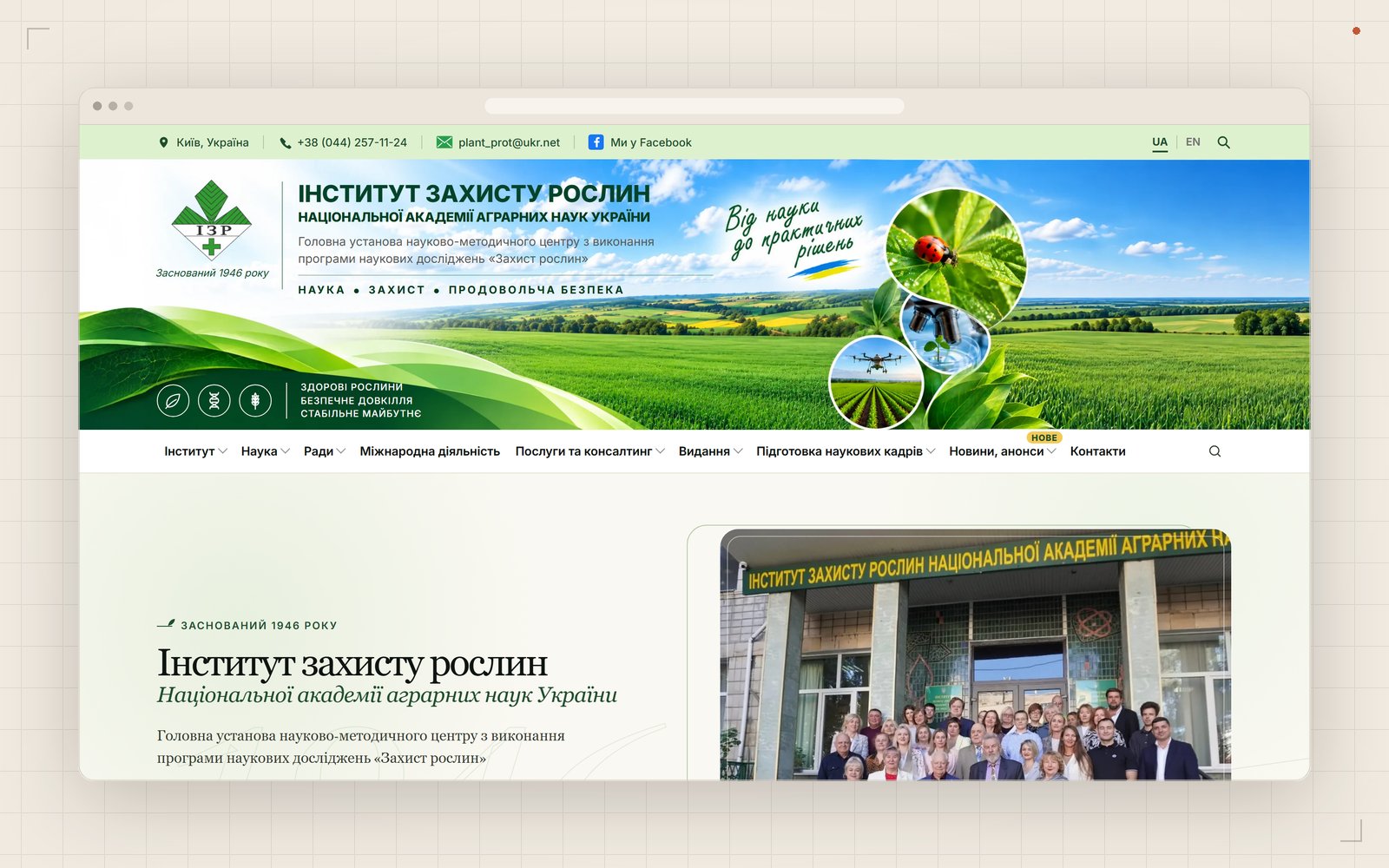
Design and securityThe header uses the client’s panorama, green brand colour and botanical illustrations that draw themselves as visitors scroll. Uploaded images are compressed automatically, so editors do not need to prepare smaller copies. Text entered by editors is sanitised before display, and uploaded files cannot execute. Form submission frequency is limited to protect against repeated requests.
10 / 10